
What was sent, and how it did
Read what was sent and see how it did.
Click a message on Message Status when you want to see the wording, the recording, or how it landed.
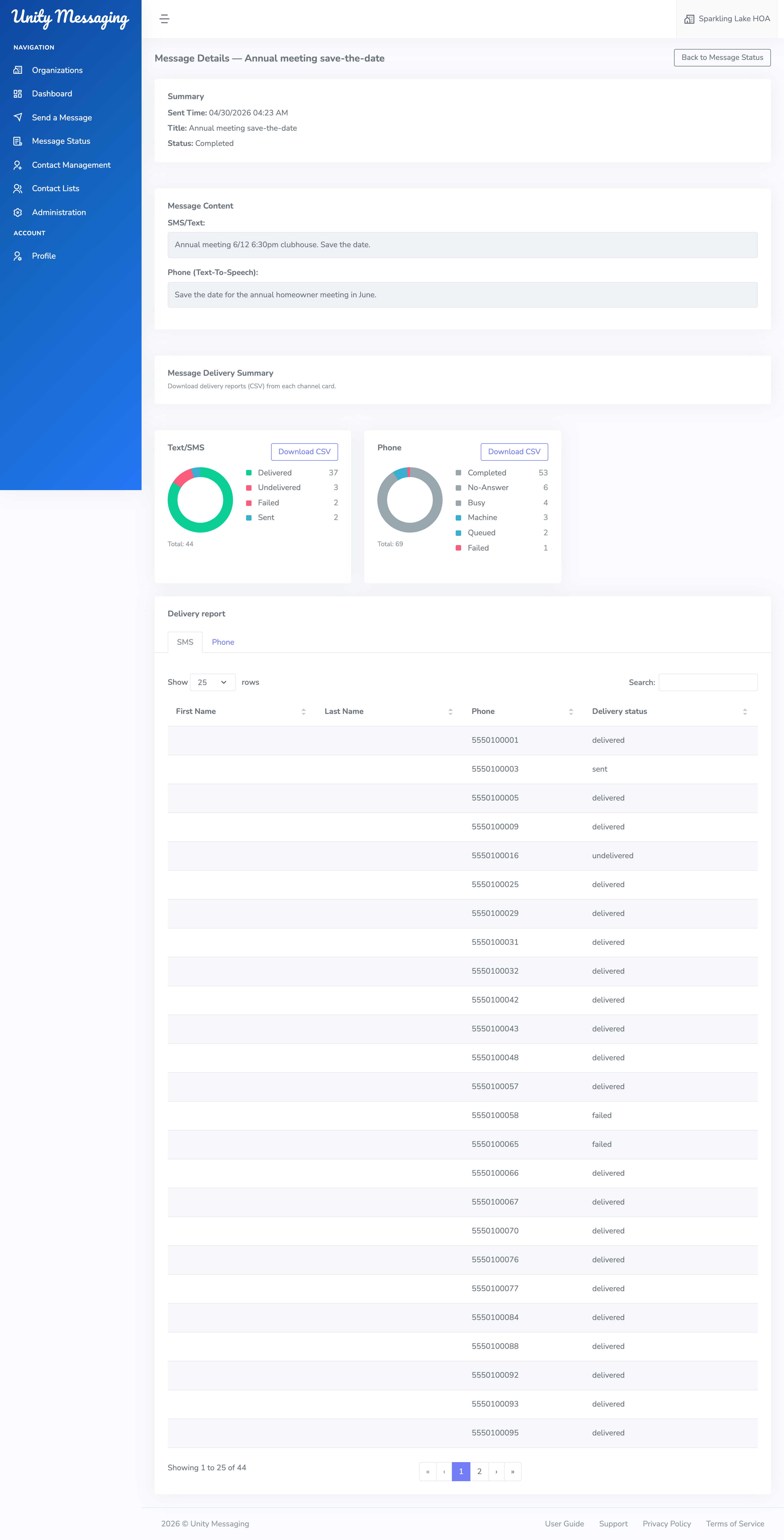
At the top you’ll see Sent Time, Title, and Status. Further down is the actual content: the email subject and body, any attachments, the SMS/Text, and the Phone message. If it was a call, you can play the recording or the Text-To-Speech audio.
Changing your mind
If it’s still Pending, you can click Delete message and confirm. After it starts sending, you can’t delete it.
Delivery
Once a message is In Progress or Completed, you’ll get cards for Email, Text/SMS, and Phone. Each one can show totals and a chart. Click Download CSV on a card if you want a spreadsheet for that channel.
The tabs under those cards list each contact and a Delivery status. For phone calls, you may also see Call duration (sec).